Collection reports
If you have any of the server rights (Add collections, Delete collections, Administer user rights, or Setup global Website), you can access the complete collection reports. Otherwise, you will need to ensure the Run reports and export metadata are set for the collection.
Note: CONTENTdm currently does not support running collection-level reports across all collections with a single request. Collection-level reporting is done on a collection-by-collection basis, with monthly reporting for each collection.
For more advanced reporting, use CONTENTdm's integration with Google Analytics.
View a collection report
- Open CONTENTdm Administration and select the collections tab.
- Click reports.
- Select the collection you want to view from the drop-down menu, and click "change".
- Choose one of the three reports to view: Item Pageviews, Item Types, Catcher Transaction Activity.
Item pageviews
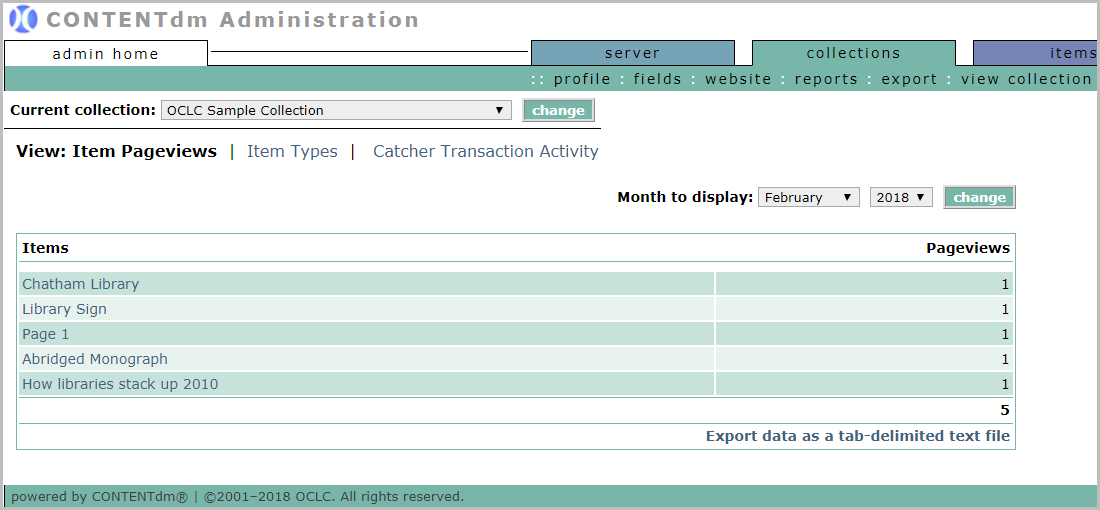
By default, this report displays data for the current month. Use the Month to display a drop-down menu to select a different month.
- The item titles are linked to the items themselves. You can also Export data as a tab-delimited text file to get a spreadsheet of the report.
- Pageviews in CONTENTdm is defined in pageviews section.
Item types
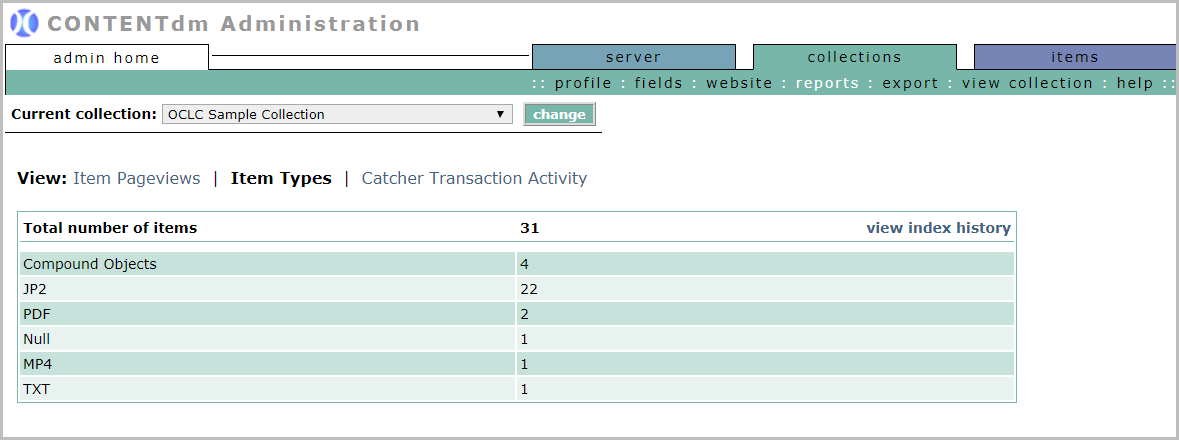
See the total number of items and the number of items of each type for the chosen collection.
Click the view index history link to see the growth of the collection over time.
Catcher transaction activity
If you do not use the Catcher Web Service, this report will be empty. See CONTENTdm Catcher for more information.